How to Create a new Paper Size
This is a short guide that will show you the steps to create a new paper size for use with the printer.
-
The first step is to open the list of printers. You can reach the list of printers through the Control Panel.
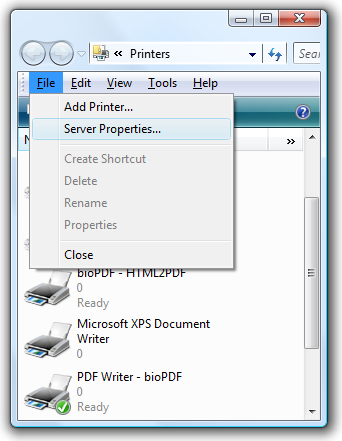
In the list of printers you must press Alt-F (English shortcut) to reach the file menu. Select Server Properties... from the file menu.
-
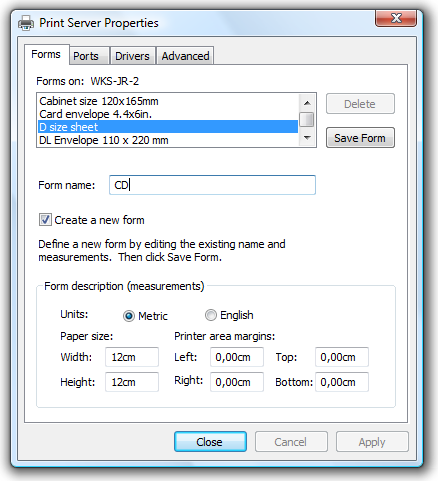
When the Server Properties dialog opens you can use the Forms tab to create a new form.
Enter a name together with a size and the preferred margins and hit the Save Form button.
Please note that the width should be less than or equal to the height.
This means that you should define your paper in portrait orientation.
Otherwise, Microsoft Word may not use it correctly. You can tell
Microsoft Word to use the new paper in landscape mode it you want the
width to be greater than the height.
-
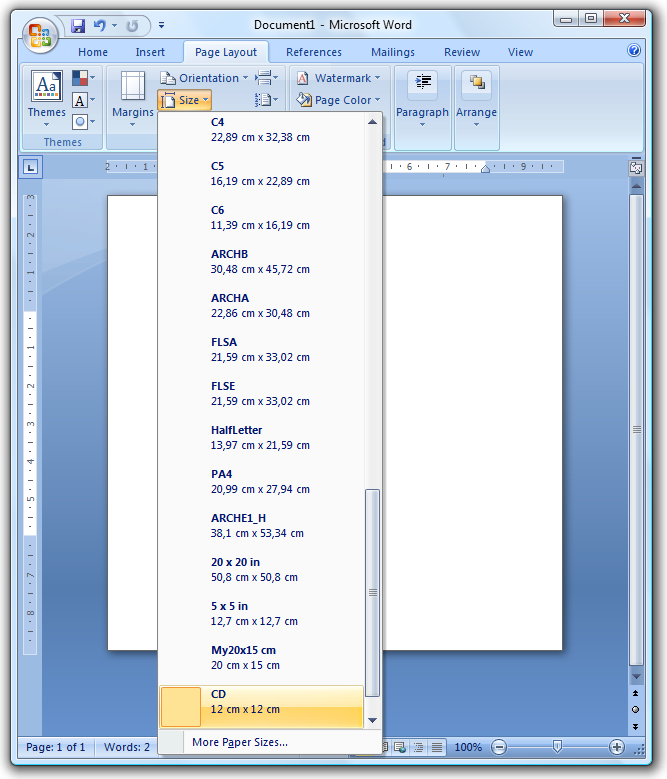
You are now ready to use the saved form from Microsoft Word and other programs.
|